Sheridan, Wyoming, November 17, 2026: IT teams that let AI agents work on company computers need a record of what each agent changed. The HopToDesk Dashboard keeps that record. Agents work through the same account as the technicians, and the account logs every action they take.
The dashboard runs in a web browser. IT teams, help desks and managed service providers use it to manage Windows, macOS, Linux and Android devices.
One account for people and agents
AI agents in apps such as ChatGPT, Claude and Cursor connect to the account through the Model Context Protocol (MCP). MCP is a standard way for AI agents to use outside tools. An agent can see which devices are online, take a screenshot, read the screen and run a command. The agent connects with a key from the account, and the account can revoke that key at any time. The connection is free on every plan. On the Business plan, the account can also limit a key to chosen tools, tags or devices.
The dashboard also has its own AI Assistant. On the Business plan, a technician can press Ask AI to fix on a ticket with a linked device. The assistant checks the device, applies low-risk fixes and drafts a reply. Risky steps wait for approval. A technician reviews the reply and sends it, and the assistant never emails a customer directly.
"On Monday morning, a technician should be able to see every fix an AI agent made over the weekend," the HopToDesk team said. "We hold agents to the same standard as the people on the team."
Remote access, device health and tickets
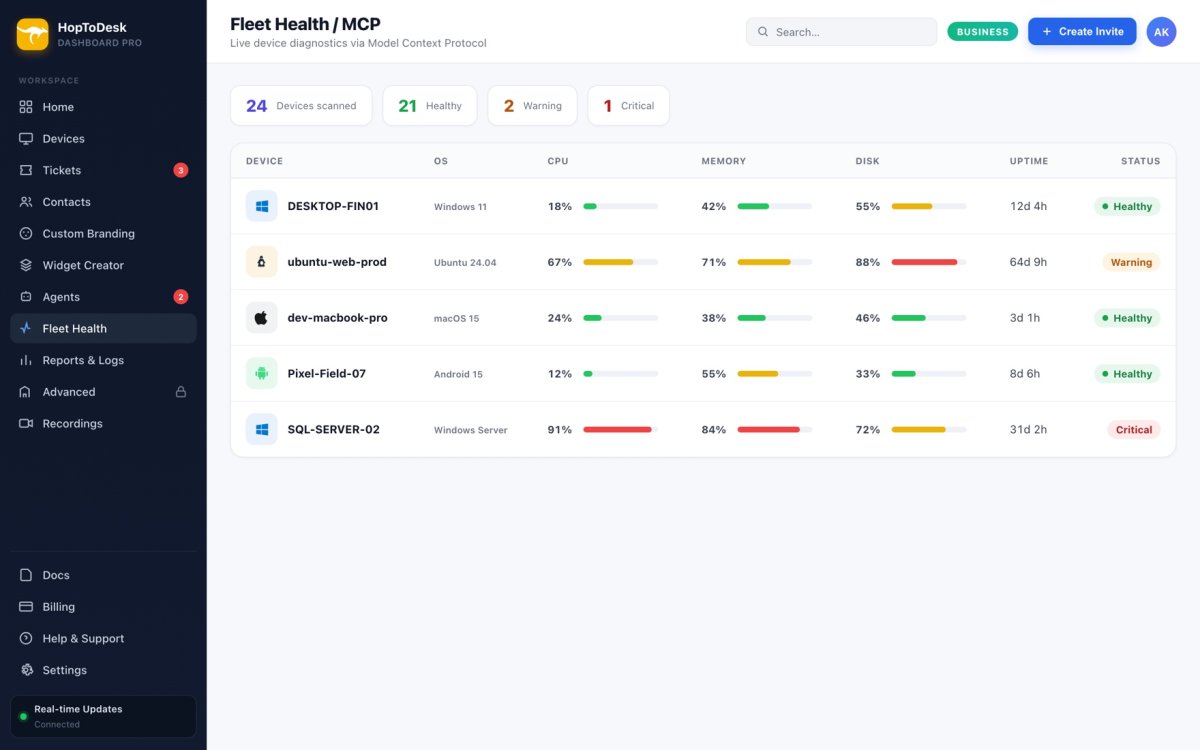
Technicians connect to enrolled devices even when nobody sits at them. For each device, the dashboard shows whether it is online, with its CPU, memory, disk and temperatures. Customers open tickets from the HopToDesk app, by email or on a branded portal. Technicians can link each ticket to its device.
On the Business plan, alert rules can fix some problems without a technician. For example, a disk fills up on an office PC at night, and a rule clears the temporary files. In the morning, the alert and the fix are both in the dashboard. Business also lets technicians run saved scripts on one device or many and schedule routine maintenance.
Security and pricing
Remote sessions are end-to-end encrypted. Each account picks the United States or the European Union as its data region at sign-up. Every plan includes two-factor sign-in and an IP allowlist, and Business adds single sign-on.
HopToDesk prices its plans by device and does not charge per technician. A free plan covers up to three devices, with no credit card and no time limit. Pro starts at $15 a month, and Business starts at $49 a month. Both include unlimited team members.
The HopToDesk Dashboard is available now at https://www.hoptodesk.com/dashboard.
About HopToDesk
HopToDesk is a remote access and device management platform for people, IT teams and managed service providers. The free HopToDesk app runs on Windows, macOS, Linux, Android, iOS and Raspberry Pi, and in a web browser. Begonia Holdings LLC, a United States company, operates HopToDesk.
Media contact
HopToDesk Press Team
Begonia Holdings LLC
30 N Gould St, Ste R, Sheridan, WY 82801, United States
Email: contact@hoptodesk.com
Website: https://www.hoptodesk.com